TEAベースなTUIフレームワークmatcha-rsを作った
2026-02-17
The Elm Architecture (TEA)ベースなcharmbracelet/bubbletea inspiredなTUIフレームワークmatcha-rsを作った。
目次
INFO
この記事はZennに記載した記事の Clone となっている。
モチベーション
自分はGitクライントにEmacsのmagit を長く使ってきた一方で、普段の開発環境そのものはEmacsを中心に使用していない。かつ、magitの速度面への不満もありEmacsを開かずに使える高速なmagitライクGitクライントがほしいと考えていた。
そこで一度は tui-rsで実装を始めたもののUIの自由度とcharmbracelet/bubbleteaのようなTEAベースのフレームワークが欲しくなり、matcha-rsの実装を始めた。 (今であればratatuiがあるので、こちらであれば少し感想は違ったのかもしれない。未検証。)
Rustで書かれたTEA実装はいくつか見かけたが、asyncへの考慮がないように見えたのも作り始めたモチベーションの1つだ。
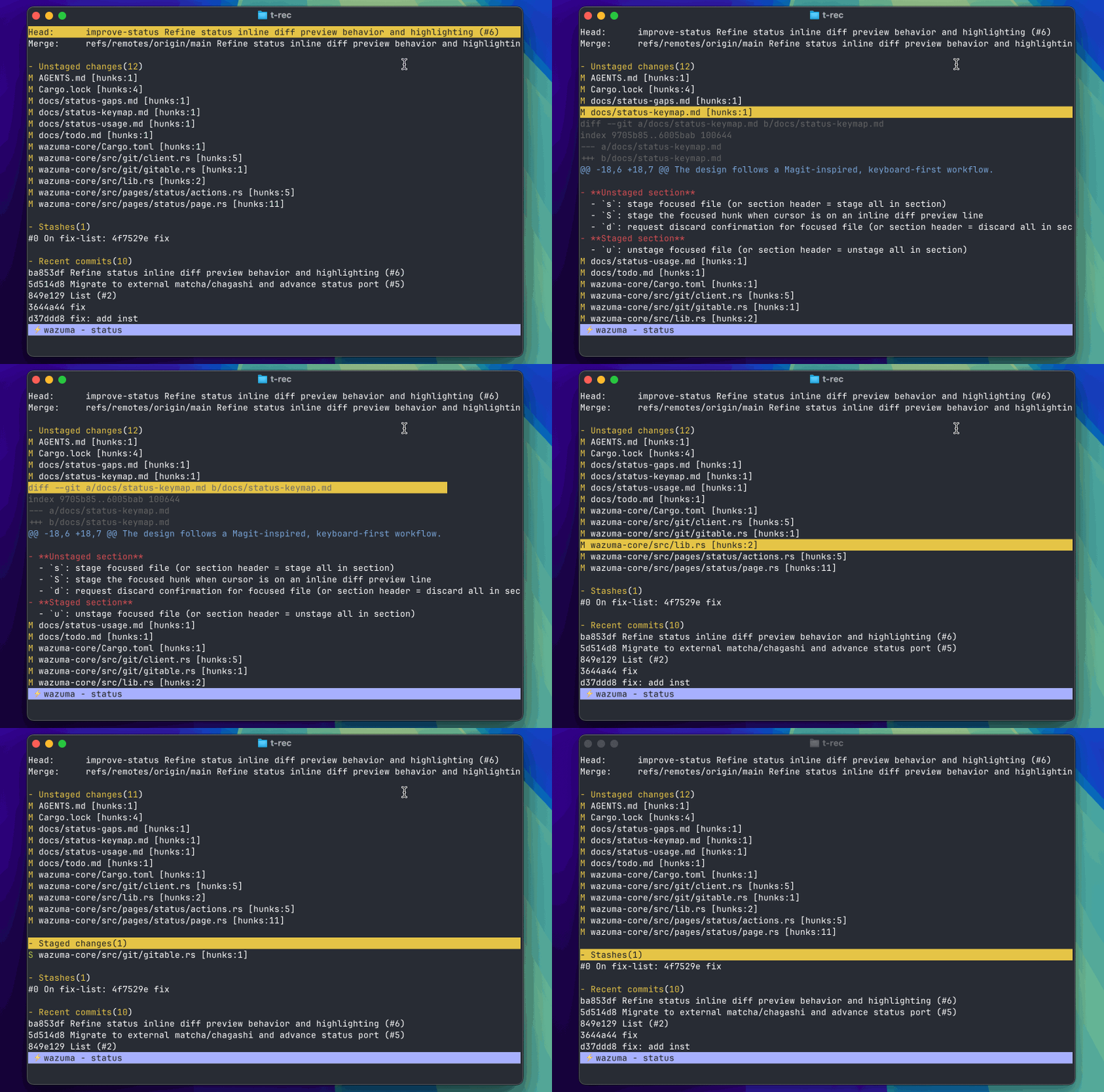
作りかけだが以下のようなGitクライントを作っていて、本crateはその下地となるイメージ。
Repository## 成果物
リポジトリは以下。
このリポジトリは 2 つのクレートから成り立っている。
matcha:イベントループ/描画/入力/コマンド実行などを司るTEAフレームワークchagashi:textinputやviewportなどのTUIコンポーネント集
以下で試せます。
git clone https://github.com/bokuweb/matcha-rs
cd matcha-rs
cargo run -p matcha --example textinput
まだpublishできていないので使用する場合は以下。
[dependencies]
matcha = { git = "https://github.com/bokuweb/matcha-rs", package = "matcha-rs", tag = "0.0.3" }
chagashi = { git = "https://github.com/bokuweb/matcha-rs", package = "chagashi", tag = "0.0.3" }
chagashi にはまだまだ数は少ないものの、UI コンポーネントが入っている。 代表的には以下。
textinput:1行のtextinputtextarea:複数行入力viewport:スクロール/選択ビューlist:リスト UIspinner:スピナーflex:Flexbox風のレイアウト
これらComponentを組み合わせて画面を作れることを目指している。
Examples
イメージを伝えるためにもいくつかシンプルな例を紹介する。
Hello World
Hello Worldは以下のように書ける。
Modeltrait を実装して update で各種イベントを受け取り、その結果viewで表示したい内容を返す。というシンプルなもの。 Program を起動するとイベントループが回り、Ctrl+C で quit() を投げて終了する、という最小構成。
updateのシグネチャはfn update(self, msg: &Msg) -> (Self, Option<Cmd>)のようになっており、Selfを受け取って新しいSelfとOption<Cmd>を常に返す形だ。ctrl-cが押されたときのみquitを返し終了する例となっている。
use std::fmt::Display;

use matcha::{quit, Cmd, Extensions, KeyEvent, Model, Msg, Program};

struct App;

impl Model for App {
    fn update(self, msg: &Msg) -> (Self, Option<Cmd>) {
        if let Some(key_event) = msg.downcast_ref::<KeyEvent>() {
            if matcha::Key::from(key_event).matches(matcha::key!(ctrl - c)) {
                return (self, Some(matcha::sync!(quit())));
            };
            return (self, None);
        };
        (self, None)
    }

    fn view(&self) -> impl Display {
        "Hello World"
    }
}

#[tokio::main]
async fn main() -> Result<(), ()> {
    let p = Program::new(App, Extensions::default());
    p.start().await.unwrap();
    Ok(())
}
Textinput
たとえばtext入力もchagashi::textinput::TextInputを用意すれば以下のように書ける。
updateで受け取ったMsgは自身に必要なMsgだけ処理を行い、あとは下層のTextInputに流し、新しいTextInputとcmdを受け取りそれを元に新しいSelfを作って返すようになっている。
use std::fmt::Display;

use chagashi::textinput::TextInput;
use matcha::{quit, Cmd, Extensions, InitInput, KeyCode, KeyEvent, Model, Msg, Program};

struct App {
    input: TextInput,
}

impl Model for App {
    fn init(self, _input: &InitInput) -> (Self, Option<Cmd>) {
        let (input, cmd) = self.input.focus();
        (Self { input }, cmd)
    }

    fn update(self, msg: &Msg) -> (Self, Option<Cmd>) {
        if let Some(msg) = msg.downcast_ref::<KeyEvent>() {
            if msg.code == KeyCode::Esc {
                return (self, Some(matcha::sync!(quit())));
            }
        }

        let (input, cmd) = self.input.update(msg);
        (Self { input }, cmd)
    }

    fn view(&self) -> impl Display {
        "What’s your favorite language\n".to_string()
            + "\n"
            + &format!("{}", self.input.view())
            + "\n"
            + "\n"
            + "(esc to quit)"
    }
}

#[tokio::main]
async fn main() -> Result<(), ()> {
    let input = TextInput::new().set_placeholder("Rust");
    let p = Program::new(App { input }, Extensions::default());
    p.start().await.unwrap();
    Ok(())
}
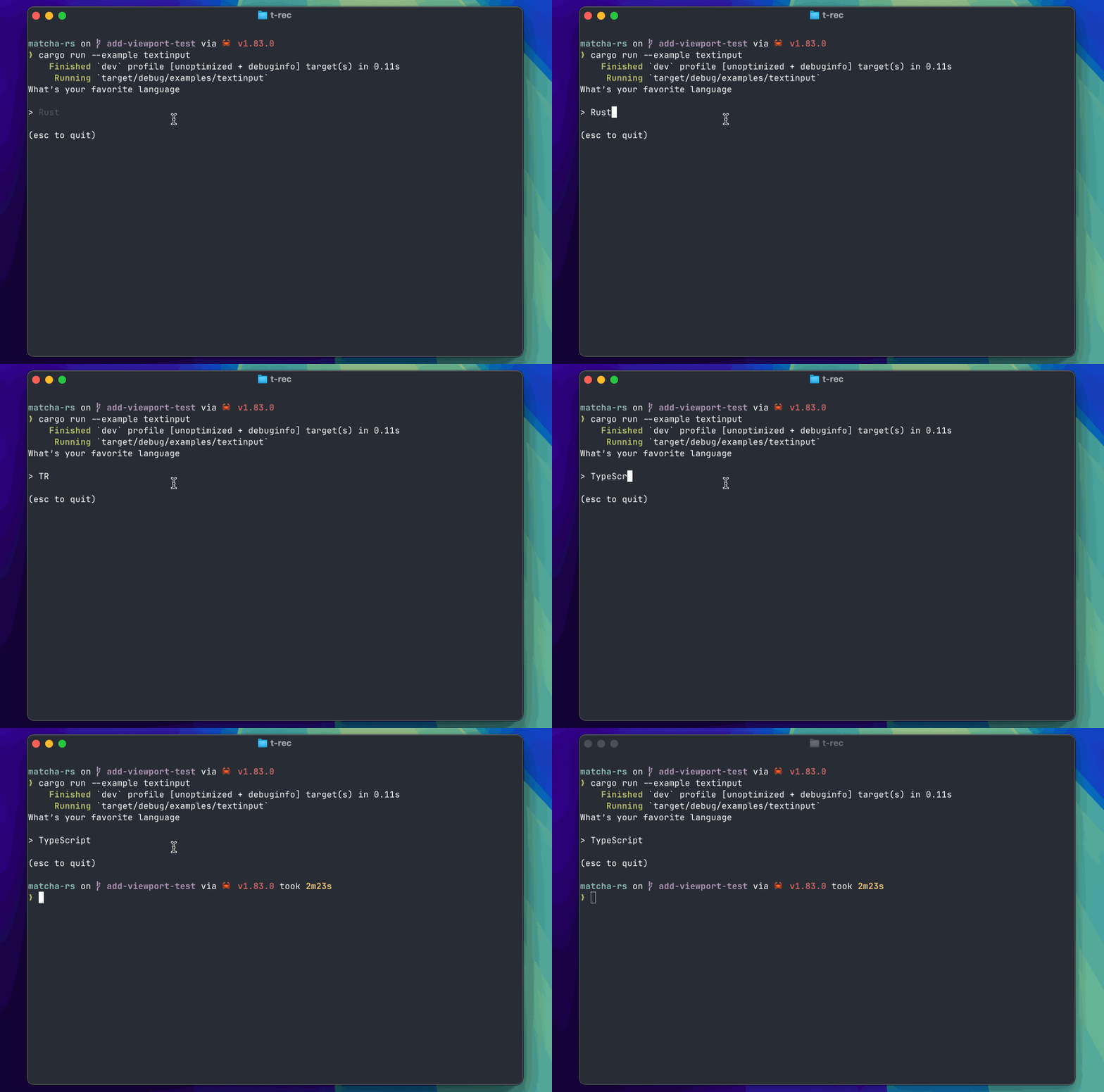
動作イメージは以下。
Async
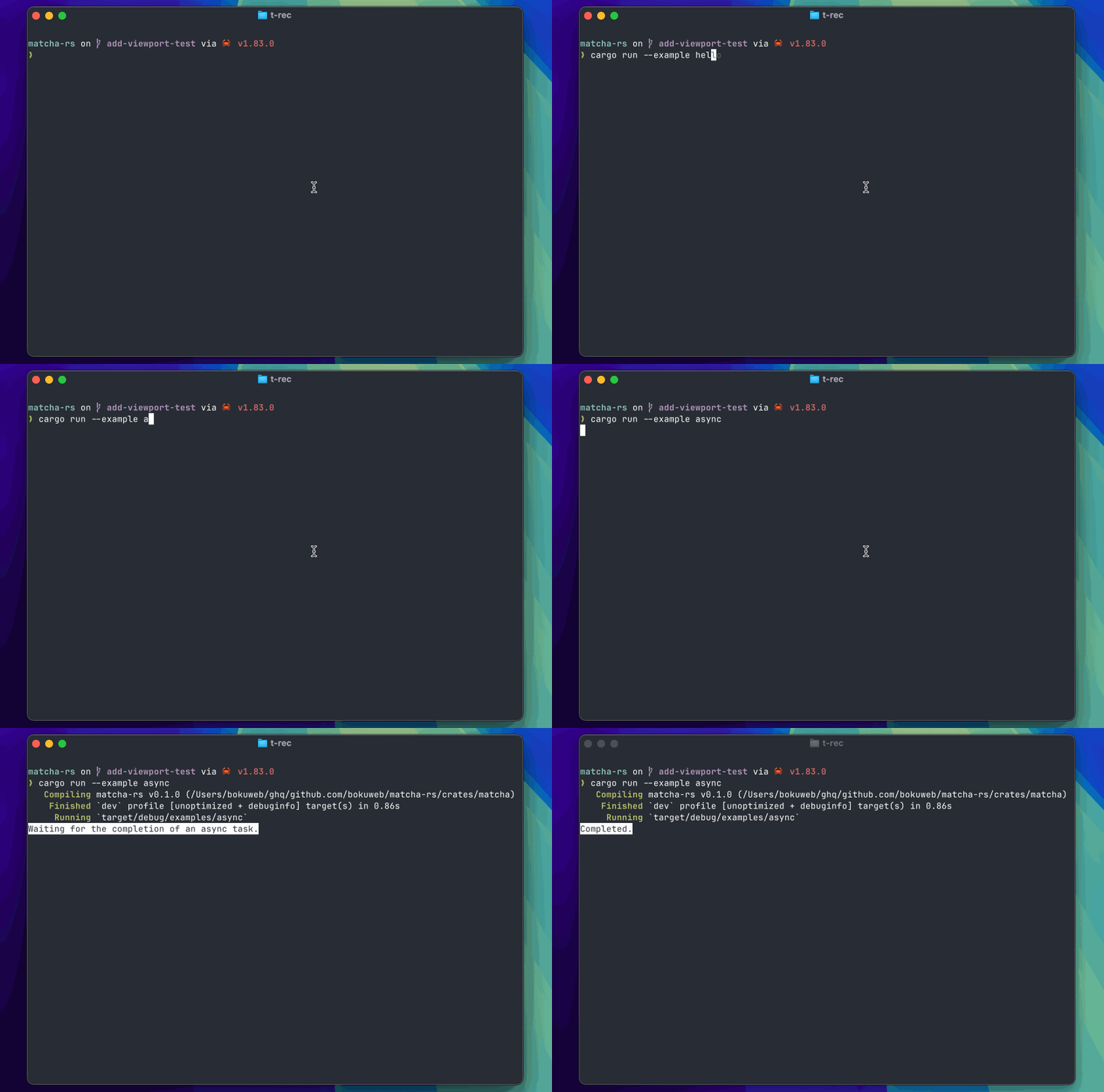
Asyncのサンプルは以下。tokio::time::sleepで3秒まってメッセージを変更するというものだ。
init で非同期 Cmd を返すことで非同期実行用のexecuteが発火する。そこでasync関数を実行し、完了後に DoneMsg を返して状態を更新するという塩梅だ。
updateでDoneMsgを受け取ったら表示をCompleted.に変更する。というシンプルなものになっている。
async用のメッセージはmatcha::r#async!(init())のように作れるようになっている。
use std::fmt::Display;

use matcha::{
    quit, style, AsyncCmd, Cmd, Extensions, InitInput, KeyEvent, Model, Msg, Program, Stylize,
};

pub fn init() -> Msg {
    Box::new(AsyncMsg) as Msg
}

pub fn done() -> Msg {
    Box::new(DoneMsg) as Msg
}

pub struct AsyncMsg;

pub struct DoneMsg;

struct App {
    done: bool,
}

#[async_trait::async_trait]
impl Model for App {
    fn init(self, _input: &InitInput) -> (Self, Option<Cmd>) {
        (self, Some(matcha::r#async!(init())))
    }

    fn update(self, msg: &Msg) -> (Self, Option<Cmd>) {
        if msg.downcast_ref::<KeyEvent>().is_some() {
            return (self, Some(matcha::sync!(quit())));
        }
        if msg.downcast_ref::<DoneMsg>().is_some() {
            return (Self { done: true }, None);
        }
        (self, None)
    }

    fn view(&self) -> impl Display {
        if self.done {
            style("Completed.").negative().to_string()
        } else {
            style("Waiting for the completion of an async task.")
                .negative()
                .to_string()
        }
    }

    async fn execute(_ext: Extensions, AsyncCmd(cmd): AsyncCmd) -> Option<Cmd> {
        let msg = cmd();
        if msg.downcast_ref::<AsyncMsg>().is_some() {
            tokio::time::sleep(tokio::time::Duration::from_secs(3)).await;
            return Some(matcha::sync!(done()));
        }
        None
    }
}

#[tokio::main]
async fn main() -> Result<(), ()> {
    let p = Program::new(App { done: false }, Extensions::default());
    p.start().await.unwrap();
    Ok(())
}
動作イメージは以下。
まとめ
matcha-rs は、Gitクライアント実装の副産物ではあるが、charmbracelet/bubbleteaのようなものをRustで利用したい方には選択肢の1つに考慮してもらえるかもしれないと考え紹介した。
まだコンポーネント集であるchagashiが充実していなかったり、肝心のGitクライントが進んでいないが、それらに着手しながらブラシアップしていけるといいなと考えている。
以上。