I Built matcha-rs, a TEA-based TUI Framework
2026-02-17
I built matcha-rs, a TUI framework inspired by The Elm Architecture (TEA) and charmbracelet/bubbletea.
Table of Contents
INFO
This article is an English adaptation of the original post on Zenn.
Motivation
I have used magit in Emacs for a long time as my Git client. At the same time, Emacs is no longer the center of my daily development environment, and I also had performance frustrations with magit. I wanted a fast, magit-like Git client I could use without opening Emacs.
I first started implementing one with tui-rs, but then I wanted more UI flexibility and a TEA-based framework like charmbracelet/bubbletea, which led me to start building matcha-rs. (If I had started now, with ratatui available, my impression might have been a little different. I have not verified this.)
I had seen a few TEA implementations in Rust, but many looked like they did not consider async execution. That was another motivation for building it myself.
I am also building a Git client like the one below, and this crate serves as its foundation.
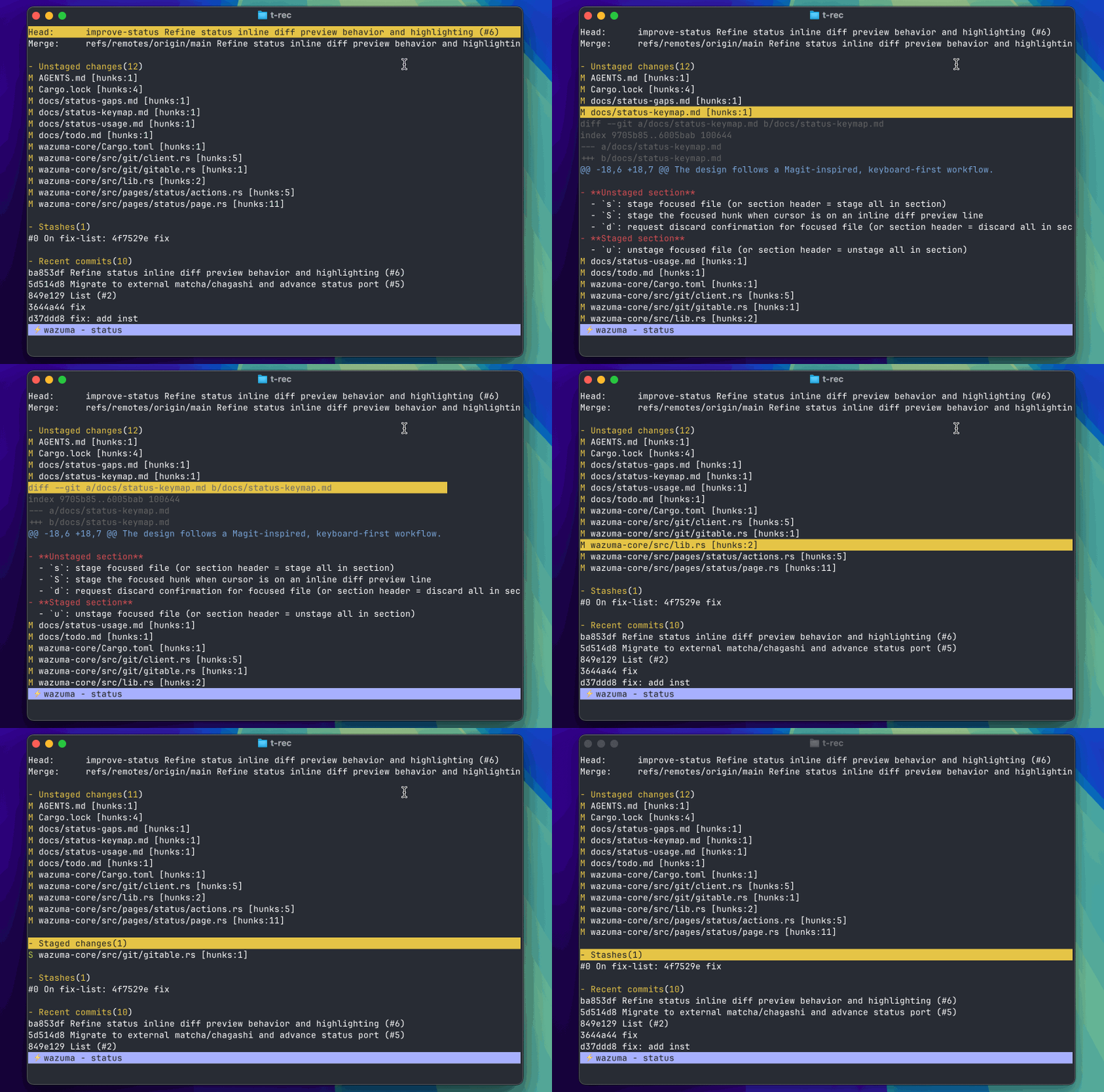
Repository / Output
The repository is here:
This repository consists of two crates:
matcha: aTEAframework that handles event loops, rendering, input, and command executionchagashi: a collection ofTUIcomponents such astextinputandviewport
You can try it with:
git clone https://github.com/bokuweb/matcha-rs
cd matcha-rs
cargo run -p matcha --example textinput
It is not published yet, so for now you can use:
[dependencies]
matcha = { git = "https://github.com/bokuweb/matcha-rs", package = "matcha-rs", tag = "0.0.3" }
chagashi = { git = "https://github.com/bokuweb/matcha-rs", package = "chagashi", tag = "0.0.3" }
chagashi does not have many components yet, but it already includes UI components such as:
textinput: single-line text inputtextarea: multi-line text inputviewport: scroll/select viewlist: list UIspinner: spinnerflex:Flexbox-like layout
The goal is to let you compose screens by combining these Components.
Examples
To convey the feel of the framework, I will introduce a few simple examples.
Hello World
You can write Hello World like this:
The idea is simple: implement the Model trait, receive events in update, and return what you want to display in view. When you start Program, it runs the event loop and exits by sending quit() on Ctrl+C.
The update signature is fn update(self, msg: &Msg) -> (Self, Option<Cmd>), so it always receives Self and returns a new Self plus an optional Cmd. In this example, it returns quit only when ctrl-c is pressed.
use std::fmt::Display;

use matcha::{quit, Cmd, Extensions, KeyEvent, Model, Msg, Program};

struct App;

impl Model for App {
    fn update(self, msg: &Msg) -> (Self, Option<Cmd>) {
        if let Some(key_event) = msg.downcast_ref::<KeyEvent>() {
            if matcha::Key::from(key_event).matches(matcha::key!(ctrl - c)) {
                return (self, Some(matcha::sync!(quit())));
            };
            return (self, None);
        };
        (self, None)
    }

    fn view(&self) -> impl Display {
        "Hello World"
    }
}

#[tokio::main]
async fn main() -> Result<(), ()> {
    let p = Program::new(App, Extensions::default());
    p.start().await.unwrap();
    Ok(())
}
Textinput
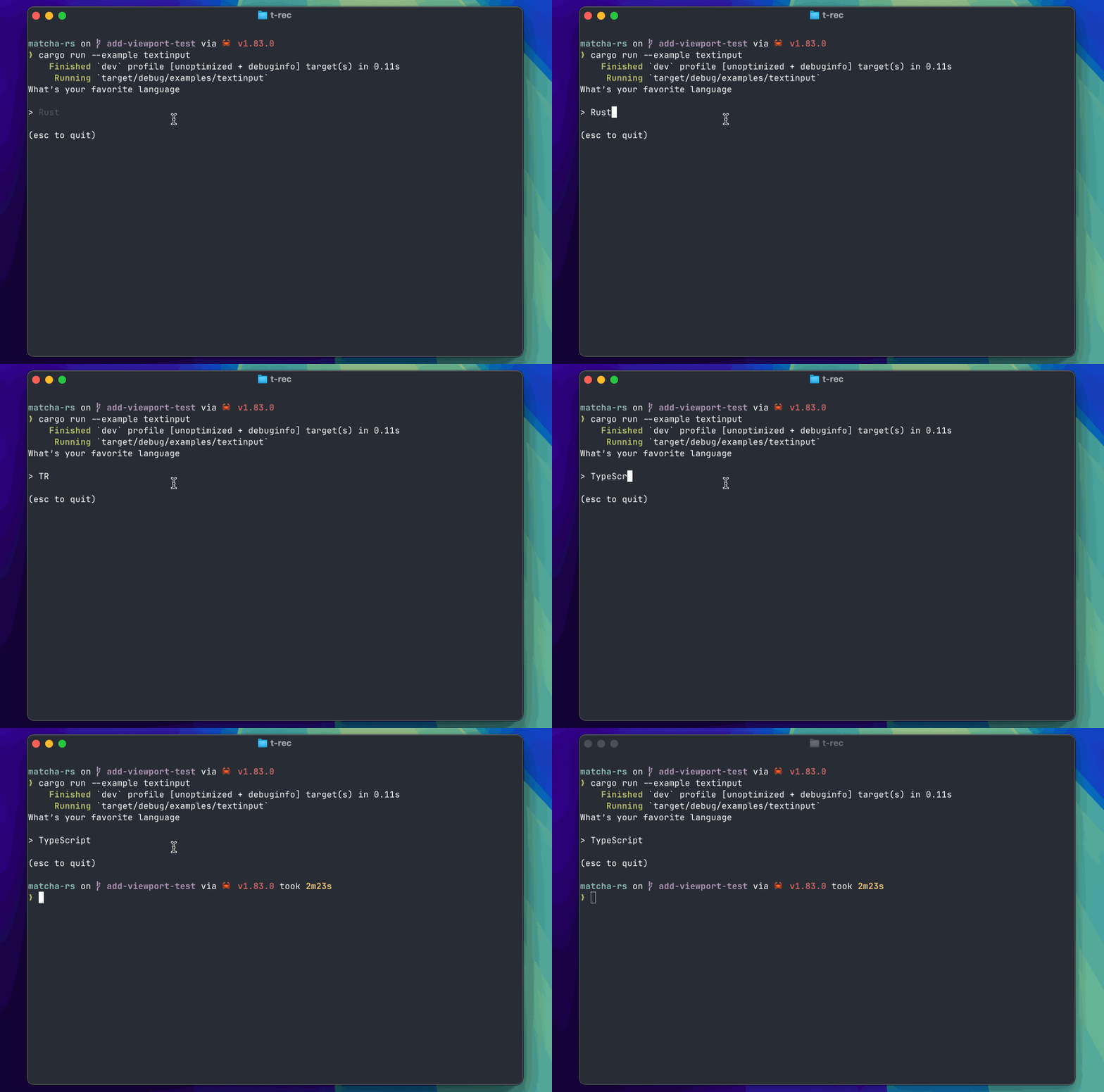
For example, text input can be written like this by using chagashi::textinput::TextInput.
In update, the received Msg handles only what the app itself needs, then passes the rest down to TextInput, receives a new TextInput and cmd, and returns a new Self built from them.
use std::fmt::Display;

use chagashi::textinput::TextInput;
use matcha::{quit, Cmd, Extensions, InitInput, KeyCode, KeyEvent, Model, Msg, Program};

struct App {
    input: TextInput,
}

impl Model for App {
    fn init(self, _input: &InitInput) -> (Self, Option<Cmd>) {
        let (input, cmd) = self.input.focus();
        (Self { input }, cmd)
    }

    fn update(self, msg: &Msg) -> (Self, Option<Cmd>) {
        if let Some(msg) = msg.downcast_ref::<KeyEvent>() {
            if msg.code == KeyCode::Esc {
                return (self, Some(matcha::sync!(quit())));
            }
        }

        let (input, cmd) = self.input.update(msg);
        (Self { input }, cmd)
    }

    fn view(&self) -> impl Display {
        "What’s your favorite language\n".to_string()
            + "\n"
            + &format!("{}", self.input.view())
            + "\n"
            + "\n"
            + "(esc to quit)"
    }
}

#[tokio::main]
async fn main() -> Result<(), ()> {
    let input = TextInput::new().set_placeholder("Rust");
    let p = Program::new(App { input }, Extensions::default());
    p.start().await.unwrap();
    Ok(())
}
Runtime image:
Async
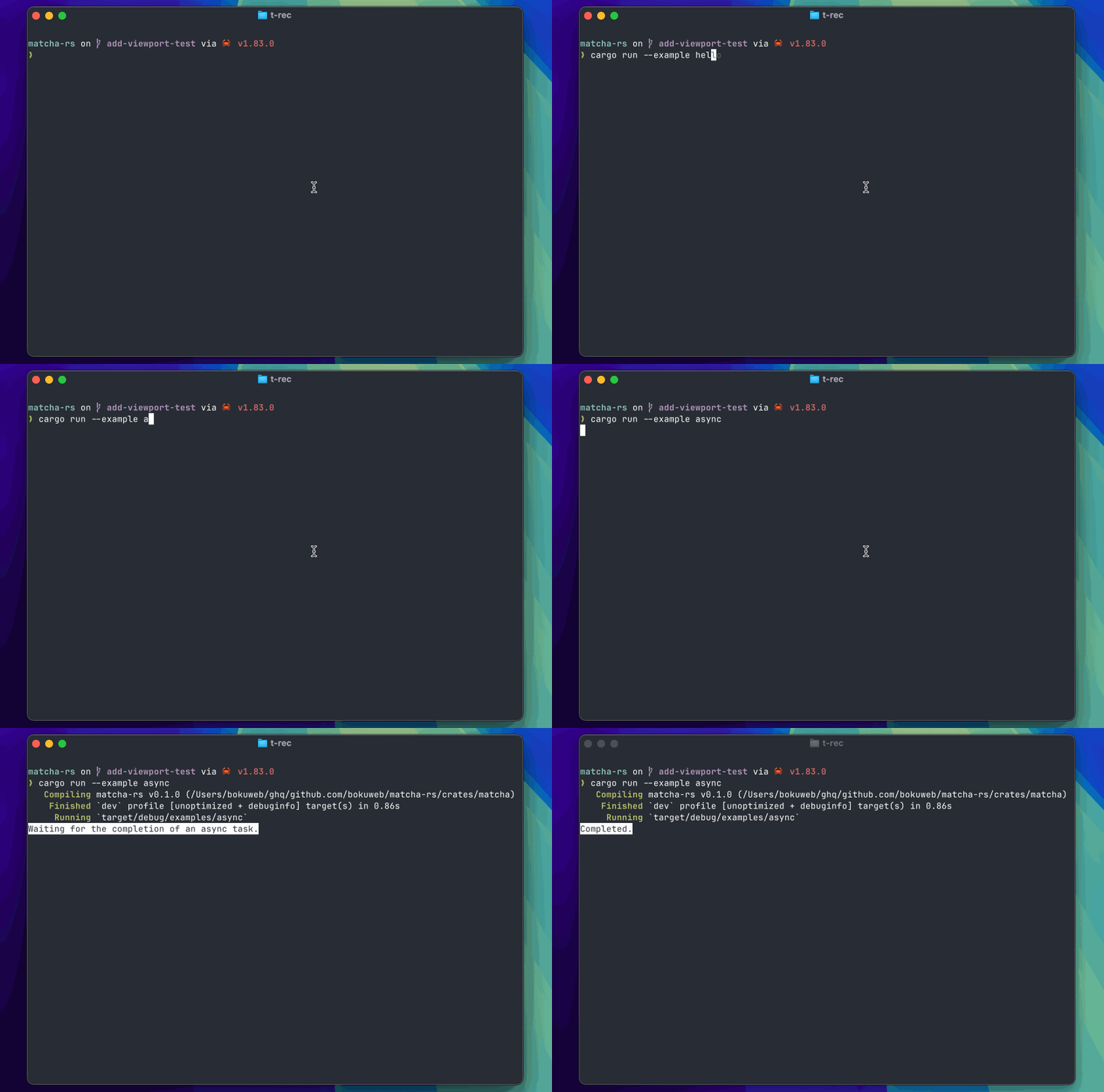
Here is an Async example. It waits 3 seconds with tokio::time::sleep, then updates the message.
By returning an asynchronous Cmd in init, execute is triggered for async execution. It runs an async function and updates state by returning DoneMsg after completion.
In update, when DoneMsg is received, the displayed text changes to Completed..
Async messages can be created with matcha::r#async!(init()).
use std::fmt::Display;

use matcha::{
    quit, style, AsyncCmd, Cmd, Extensions, InitInput, KeyEvent, Model, Msg, Program, Stylize,
};

pub fn init() -> Msg {
    Box::new(AsyncMsg) as Msg
}

pub fn done() -> Msg {
    Box::new(DoneMsg) as Msg
}

pub struct AsyncMsg;

pub struct DoneMsg;

struct App {
    done: bool,
}

#[async_trait::async_trait]
impl Model for App {
    fn init(self, _input: &InitInput) -> (Self, Option<Cmd>) {
        (self, Some(matcha::r#async!(init())))
    }

    fn update(self, msg: &Msg) -> (Self, Option<Cmd>) {
        if msg.downcast_ref::<KeyEvent>().is_some() {
            return (self, Some(matcha::sync!(quit())));
        }
        if msg.downcast_ref::<DoneMsg>().is_some() {
            return (Self { done: true }, None);
        }
        (self, None)
    }

    fn view(&self) -> impl Display {
        if self.done {
            style("Completed.").negative().to_string()
        } else {
            style("Waiting for the completion of an async task.")
                .negative()
                .to_string()
        }
    }

    async fn execute(_ext: Extensions, AsyncCmd(cmd): AsyncCmd) -> Option<Cmd> {
        let msg = cmd();
        if msg.downcast_ref::<AsyncMsg>().is_some() {
            tokio::time::sleep(tokio::time::Duration::from_secs(3)).await;
            return Some(matcha::sync!(done()));
        }
        None
    }
}

#[tokio::main]
async fn main() -> Result<(), ()> {
    let p = Program::new(App { done: false }, Extensions::default());
    p.start().await.unwrap();
    Ok(())
}
Runtime image:
Wrap-up
matcha-rs started as a byproduct of implementing a Git client, but I wanted to share it because it might become a good option for people who want something like charmbracelet/bubbletea in Rust.
chagashi, the component collection, is still limited, and the Git client itself is still in progress. I hope to keep improving both as I continue working on them.